


QR codes are everywhere, from restaurant menus to parcel labels, and fraudsters have noticed. How do QR code phishing attacks, known as “quishing”, work, and how can you protect yourself?
What Is a QR Code?
As we all know, a QR (quick response) code is a two-dimensional barcode that can be scanned by a smartphone or another camera-equipped mobile device. When a QR code is scanned, the link takes you to websites, contact details, product information, files or apps.
The QR code was invented in 1994 by a Japanese company to label car parts and quickly became popular all over the world. Its real global fame, however, came during the COVID-19 pandemic. Today it is used for all sorts of purposes, from restaurant menus to boarding passes and from advertisements to public spaces. Most people now know what a QR code looks like and that they need to scan it to reach the information “embedded” in it.
Some Types of QR Code Scams
Unfortunately, many users do not know that these harmless-looking little black-and-white squares we see every day are not inherently safe and can be used for malicious purposes.
The widespread use of QR codes naturally whets the appetite of malicious actors, and the rapid rise in recent years of cyberattacks that abuse this technology is striking.
According to one statistic, phishing attacks using QR codes rose by 23% in the last quarter of 2023. Another study shows that the share of QR code attacks (quishing) in all phishing attacks has risen from 10% to as much as 30%.
Apart from attacks by e-mail, the following are examples of QR code fraud:
- Payment scams (malicious QR codes are placed in public spaces, or fake payment requests are used, to steal victims’ money or credit card details)
- Parcel scams (the victim is sent a product they never ordered and, if they do not want it, is asked to return it by scanning the QR code on it; in this way their personal data is stolen)
- Cryptocurrency scams (attempts to obtain victims’ crypto assets through fake giveaway campaigns and the like containing malicious QR codes)
- Donation scams (the scammers pose as a charity or aid organisation and steal the identity and credit card details of victims who think they are doing a small good deed by scanning the QR code presented to them)
What Is Quishing (QR Code Phishing)?
As with classic phishing attacks, quishing is a type of cyberattack in which malicious actors persuade people to scan QR codes in order to steal sensitive information or redirect them to malicious websites.
Seen this way, you can think of QR codes as URLs, except that the redirection to a malicious website happens through a QR code rather than a text link.
How Does Quishing Work?
If a user scans a fake QR code, it carries the same risk as clicking a suspicious link (URL). Step by step, quishing basically unfolds like this:
- The phishing QR code is sent to the victim by e-mail or another communication channel (WhatsApp, SMS, Instagram, Teams and so on).
- Trusting the QR code, the victim scans the malicious code with a mobile device.
- Once scanned, the code redirects the victim to a phishing page.
- When the victim enters their credentials on a fake website made so professionally that it cannot be told apart from the real one, the attackers capture them.
- Or the victim may be tricked into downloading and installing malware.
Some examples:
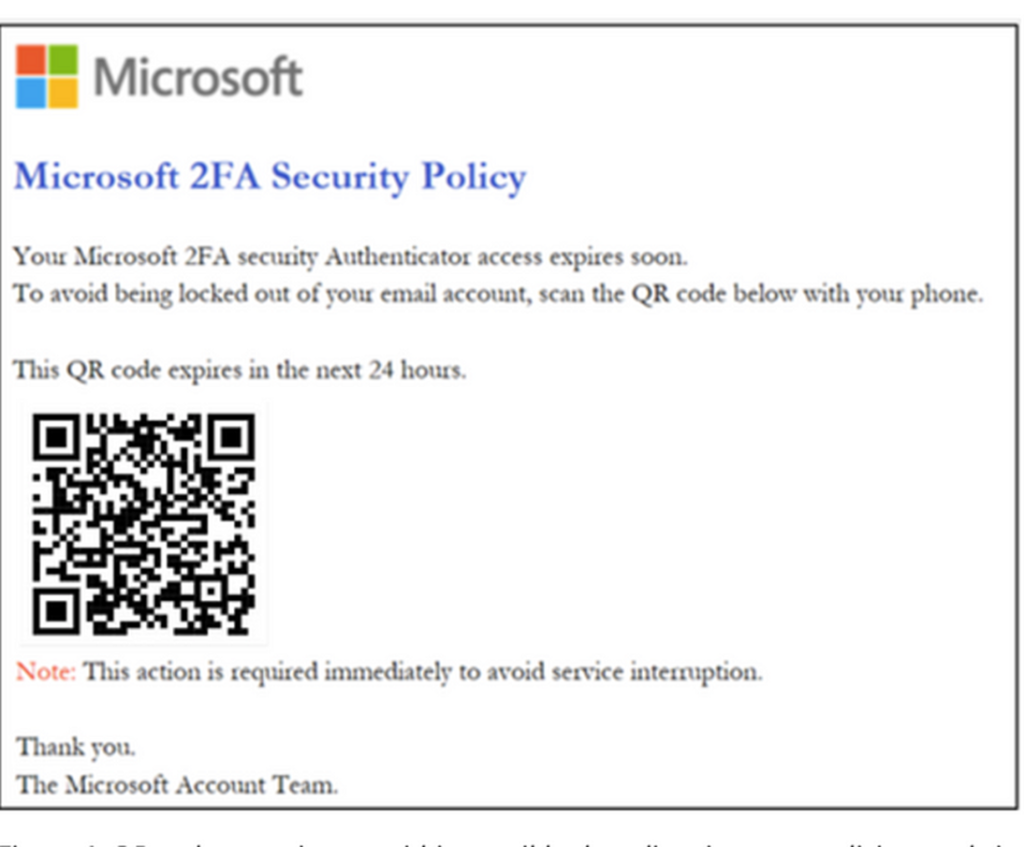
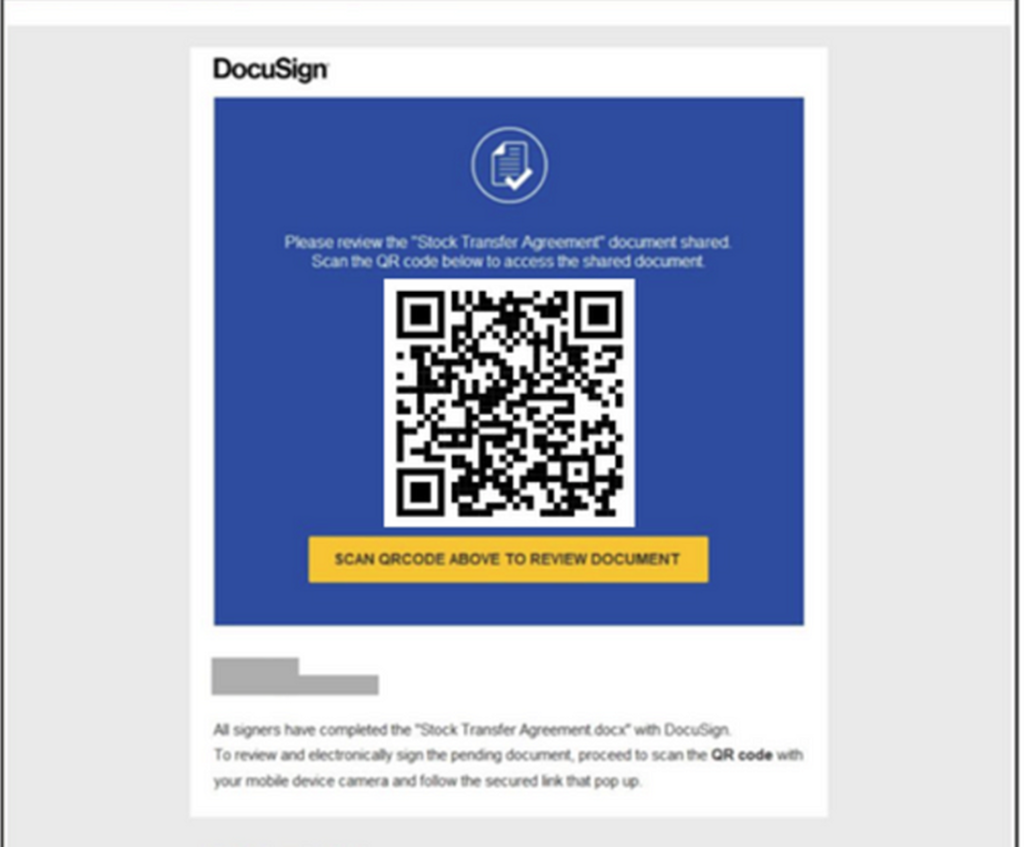
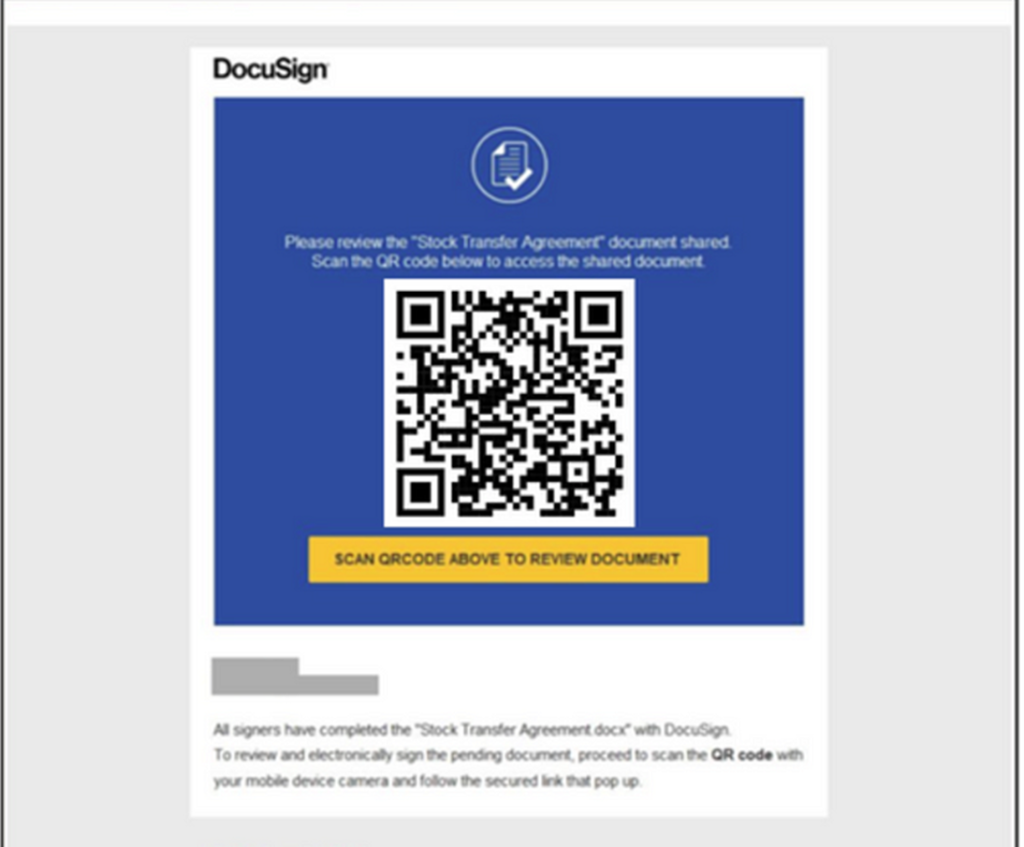
What Makes Quishing Difficult to Counter?
First, because awareness is still low, most people trust QR codes and assume they are safe.
Second, compared with text-based links (URLs), quishing uses a “no text” tactic to evade automated filters and machine-learning algorithms. Because it relies on QR codes, it is usually hard to read and hard to block.
Knowing that computers, personal or corporate, are generally better protected, attackers usually move the attack surface to mobile devices, which are “unprotected and less secure”. Personal devices in particular lack the anti-phishing defences of work devices, which makes these attacks harder to prevent and detect.
One of the biggest difficulties of quishing attacks is that they involve two devices. The quishing e-mail arrives at the victim’s work address and the QR code is scanned with their personal mobile device. Or, conversely, it is sent to the victim’s personal e-mail address, so corporate defences do not block it, and the victim may scan the malicious code with a work device. Either way, the involvement of two devices can make detection and prevention harder.
Besides these difficulties peculiar to quishing, there are other challenges familiar from classic phishing attacks. For example, the exploitation of legitimate e-mail infrastructure; the impersonation of well-known brands, organisations or services; pressure to act immediately, tempting offers, fake requests to sign an important document and so on…
How Do XDR Tools Detect Quishing?
Various cybersecurity tools such as Defender XDR try to detect and prevent quishing attacks with a multi-layered approach.
Image/optical character recognition: During mail flow, the system uses advanced image extraction technologies to detect QR codes in e-mails. URL metadata is extracted from the QR code, and this information is used as a signal for further analysis. Even so, because QR codes can be hidden in many different forms and attacks can be shifted to personal devices, detection remains difficult even for advanced security tools.
URL analysis: URLs extracted from QR codes are checked against both internal sources and OSINT sources such as VirusTotal to assess their reputation.
Threat signals: The sender address, display name, subject line and sender IP address of the message containing the QR code, together with recipient details and other relationships, are taken into account as signals for classifying the message. Machine-learning algorithms analyse these signals to produce detections and preventive actions.
Additional Methods for Detecting Quishing Attacks
As we said, because the victim usually scans the QR code with a personal (unmanaged) mobile device, which lies outside the protected environment, detection is one of the main challenges of quishing attacks.
In addition to the image/optical character recognition approach, some further approaches and methods are therefore needed to detect these attacks:
User behaviour: The first key approach that helps in this search is “suspicious sign-in attempts” resulting from QR code phishing campaigns. Even if victims scan QR codes on personal mobile devices, access to the phishing e-mail is usually recorded in logs such as “MailItemsAccessed”. By examining the link between malicious sign-in attempts after a QR code scan and these logs, other e-mails belonging to the same campaign can be identified.
Sender patterns: As with typical phishing attacks, sender characteristics play an important role in detecting QR code attacks. Such attacks are usually large-scale, and 95% of them are sent from newly created or uncommon domains. Misleading, impersonating sender names such as “IT Support”, “HR Support”, “Accounting” or “Executive Team” also help detection.
Subject patterns: E-mails can be monitored whose subject lines call for action, such as “MFA needs to be completed!” or “Digitally signed documents”, or contain suspicious keywords such as “account”, “alert”, “bank”, “billing”, “card”, “change”, “confirm”, “login”, “password”, “mfa”, “authorise”, “authentication”, “payment”, “urgent”, “verify” or “blocked”.
Attachment name patterns: Research into QR code campaigns shows that attackers usually name attachments at random. E-mails from the same sender to several recipients with randomly named attachments may therefore point to a QR code phishing campaign.
In conclusion, users need to verify that e-mails from unknown sources and their contents are trustworthy and be more careful when scanning QR codes. And because QR code phishing attacks are becoming more widespread and more varied, cybersecurity professionals need to be aware of the difficulties of detecting them and to consider the additional approaches above.
Sources
- BSI – Phishing bsi.bund.de
- ENISA enisa.europa.eu
- Microsoft Tech Community: Hunting for QR code AiTM phishing and user compromise techcommunity.microsoft.com
- Microsoft Tech Community: Protect your organizations against QR code phishing with Defender for Office 365 techcommunity.microsoft.com
- Jeffrey Appel: Protect against QR code phishing with Microsoft Defender products jeffreyappel.nl
- Secureworks: QR phishing leads to Microsoft 365 account compromise secureworks.com
Monthly · free
Compass of the Month
Once a month: five points from Europe’s security and migration agenda and the month’s PUGAT articles, in your inbox.
Newsletter sign-up opens soon.
Read next

What is PUGAT? A non-profit community publishing independent analysis from Europe on security, migration and society in Turkish, German and English.
Go to the homepage